

Step 1: Click On Consult Now
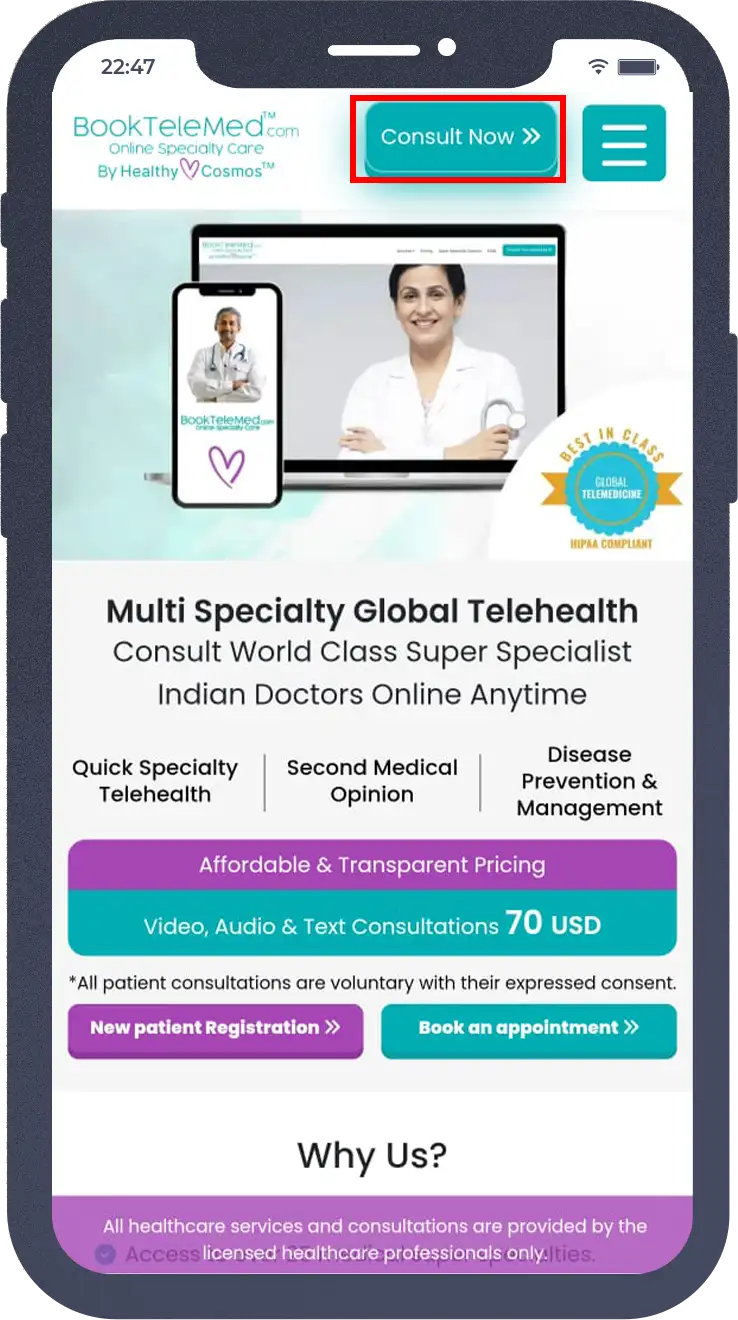
If You Are an existing User enter the details and follow the next steps.
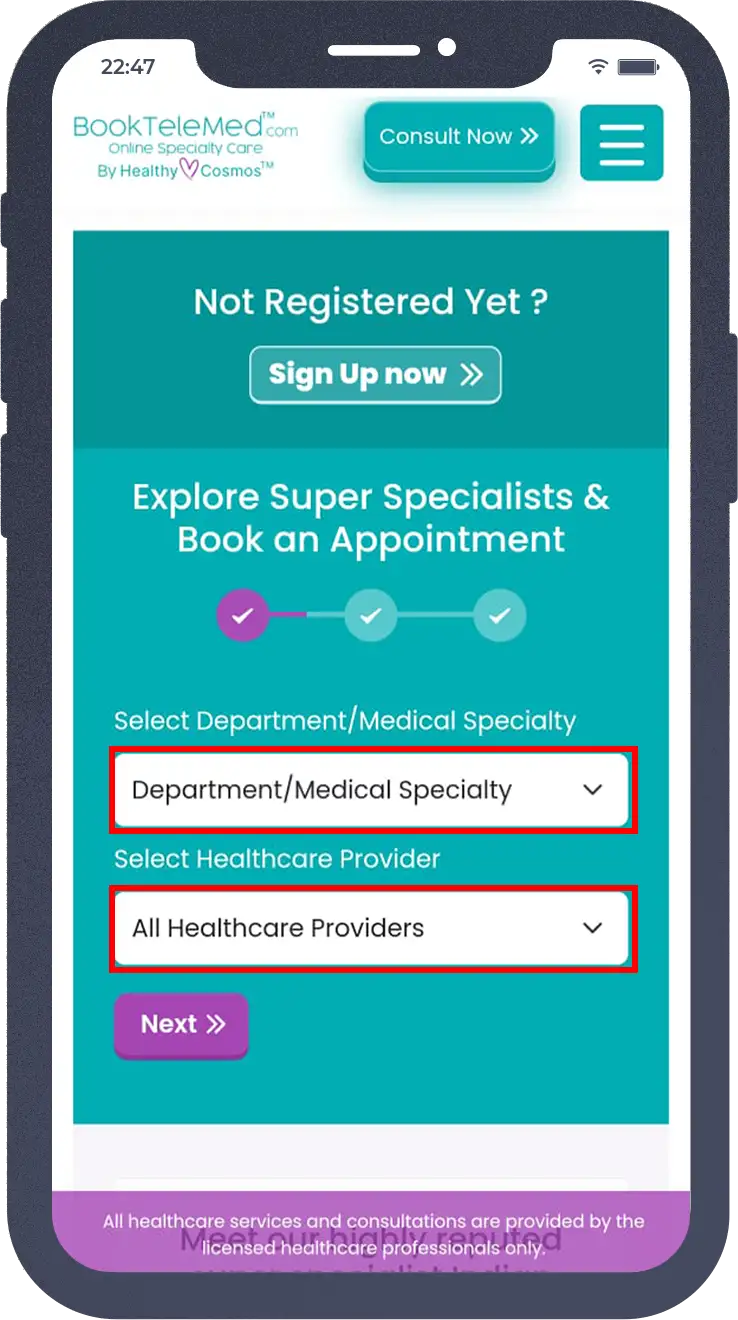
(For New Users, Click On Sign Up Now)
Step 2: Select the Department/Medical Speciality and Your Healthcare Provider.
Step 3: Select Your Service Type(Video/Audio or Text Consultation)
Select The Date and Time of the Appointment.
Step 4: Upload Your Medical Reports and Medical Condition.
Enter your registered Email and Click on Submit & Proceed To Pay
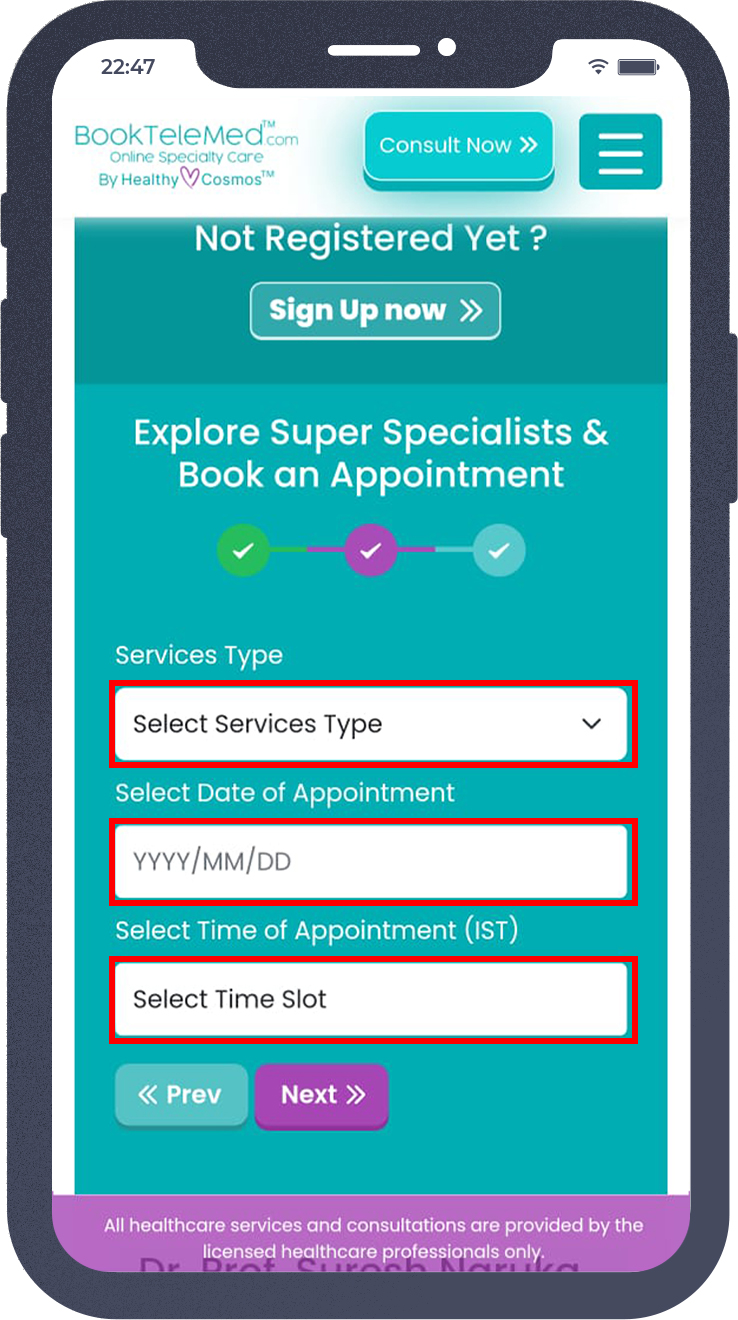
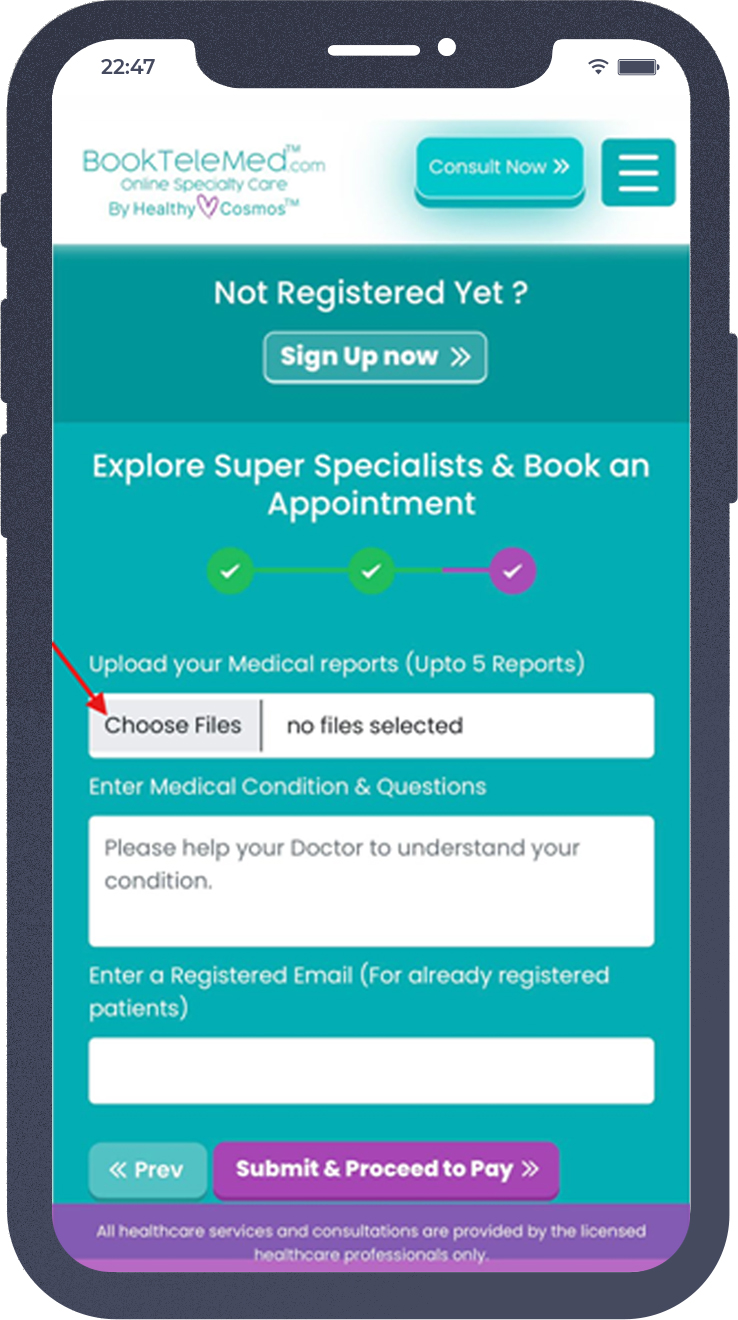
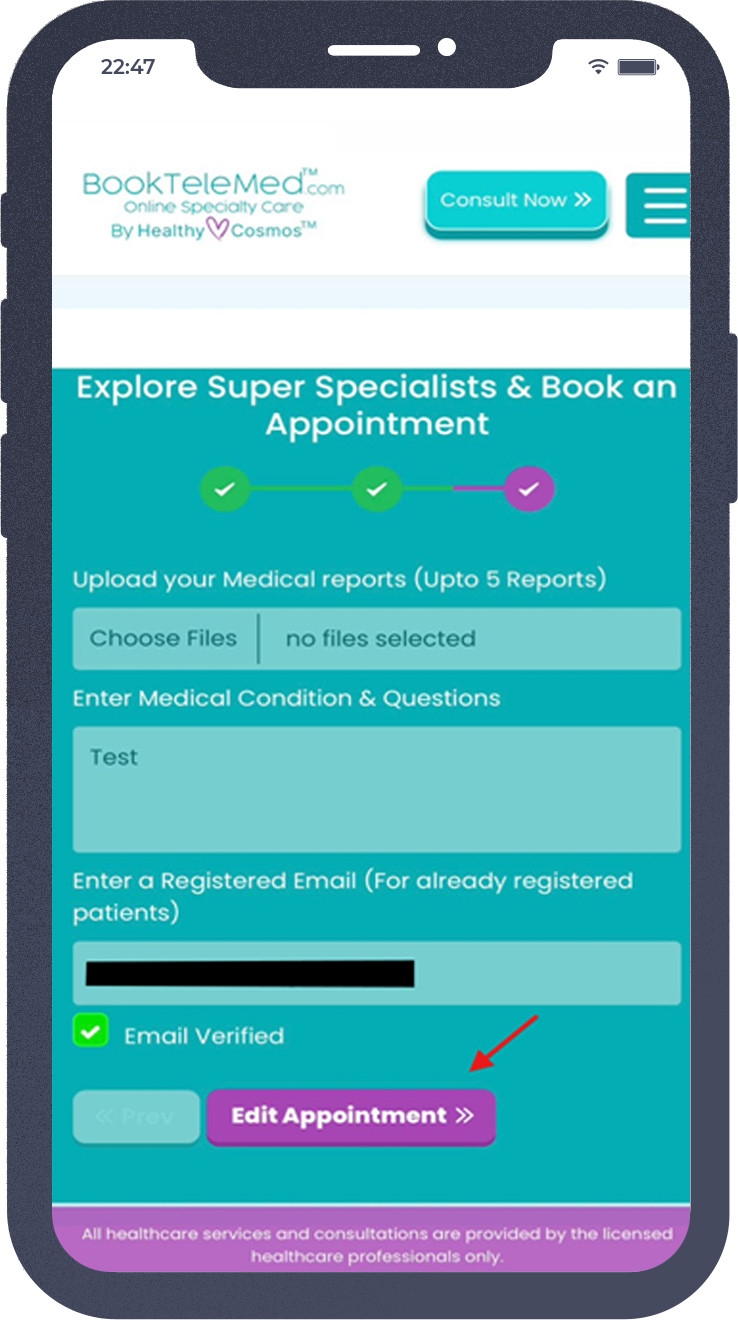
Before proceeding with the payment, review your appointment details. If any modifications are necessary, please click on "Edit Appointment." And Then Submit & Proceed to Pay.
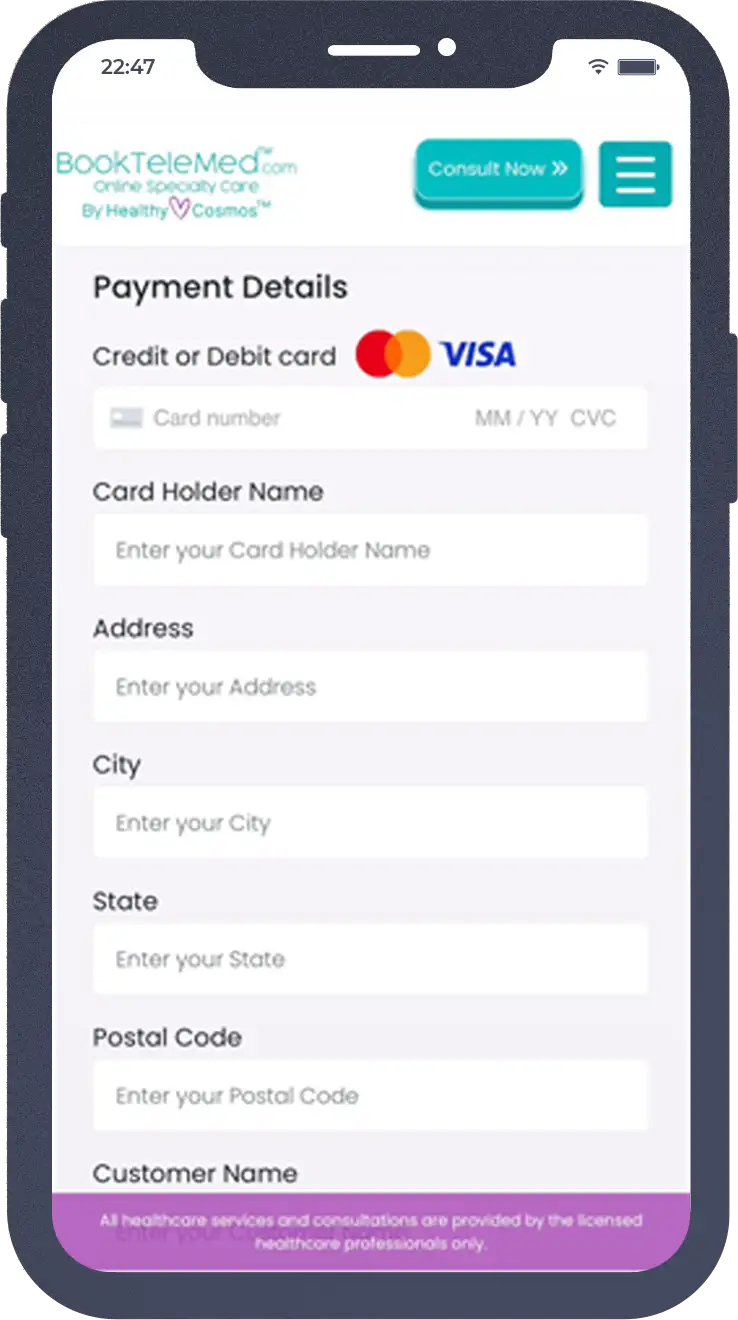
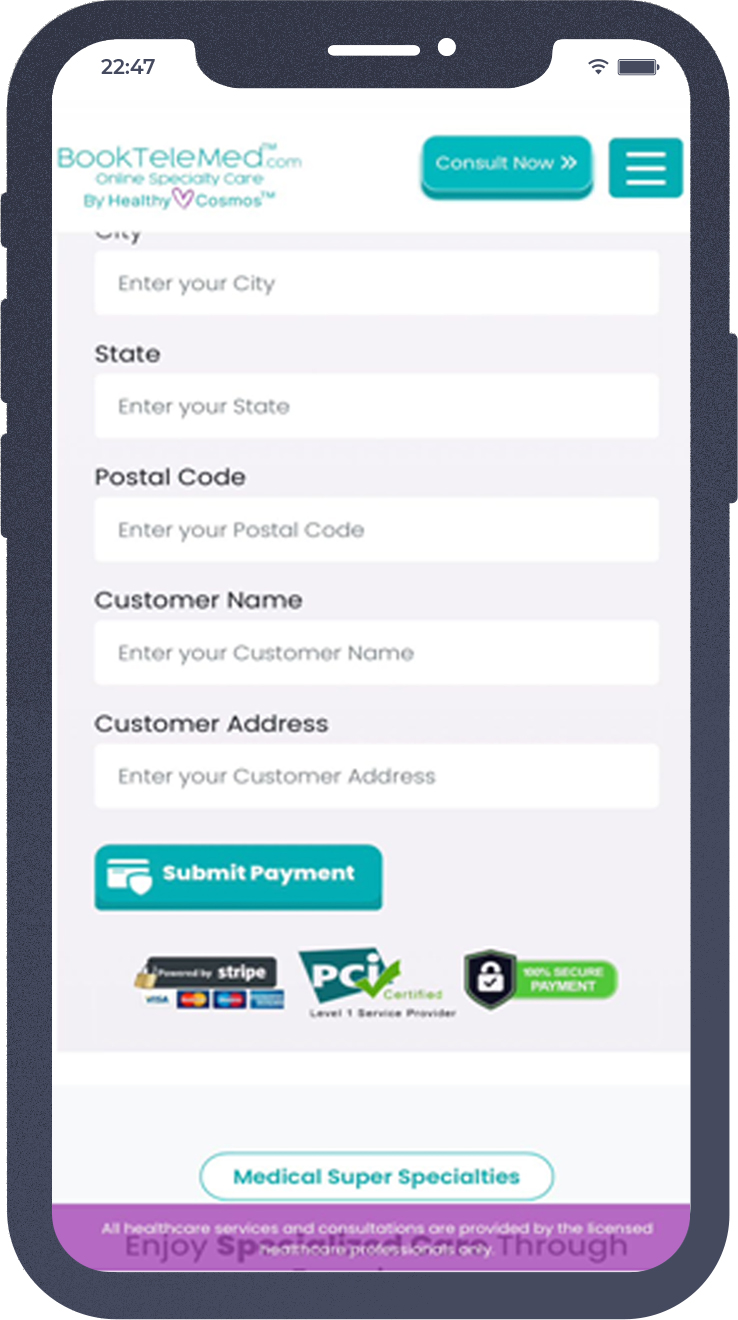
Step 5: Enter Your Details to Make the Payment and Click On “Submit Payment”.
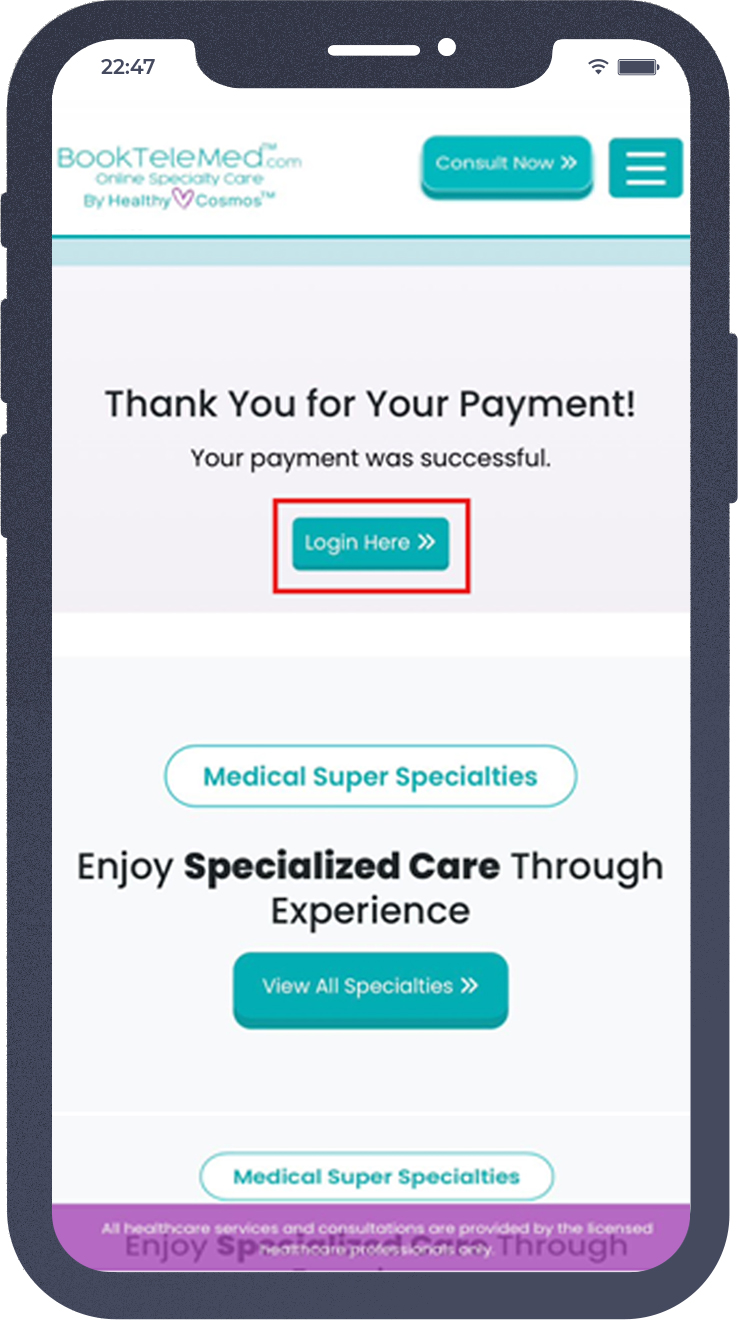
Login To View Your Appointment, Medical reports, and Doctor Consultation Notes.
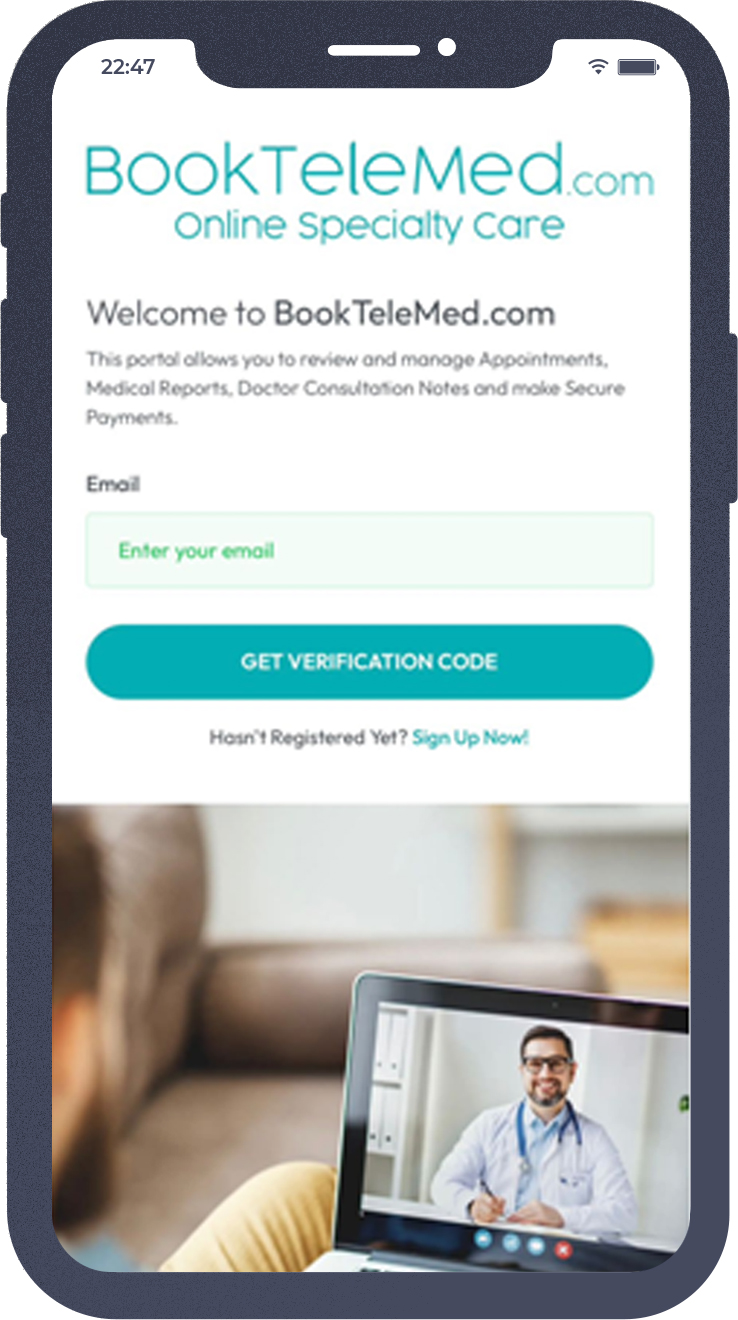
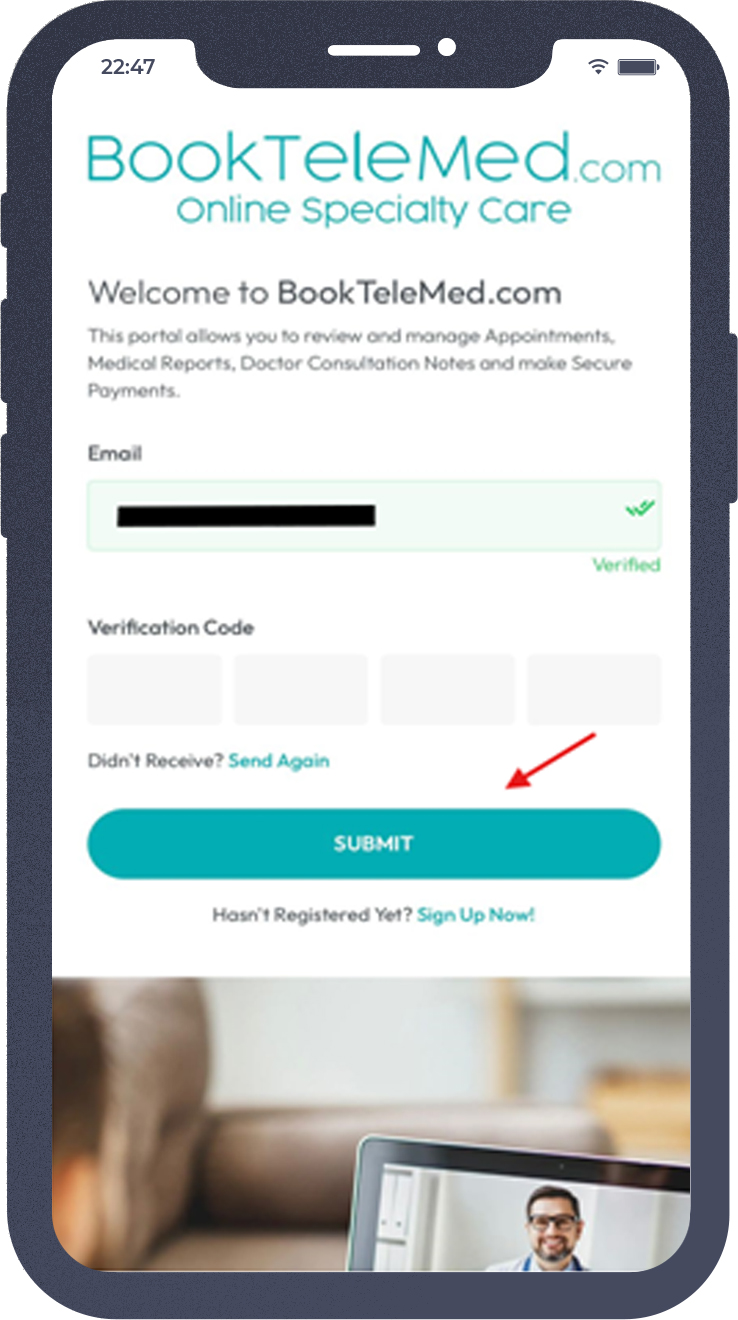
To login, Enter Your Registered Email and you will receive a Verification Code.
You can access your booked Appointment under "Upcoming Appointments".To edit your medical reports, click on "EDIT."
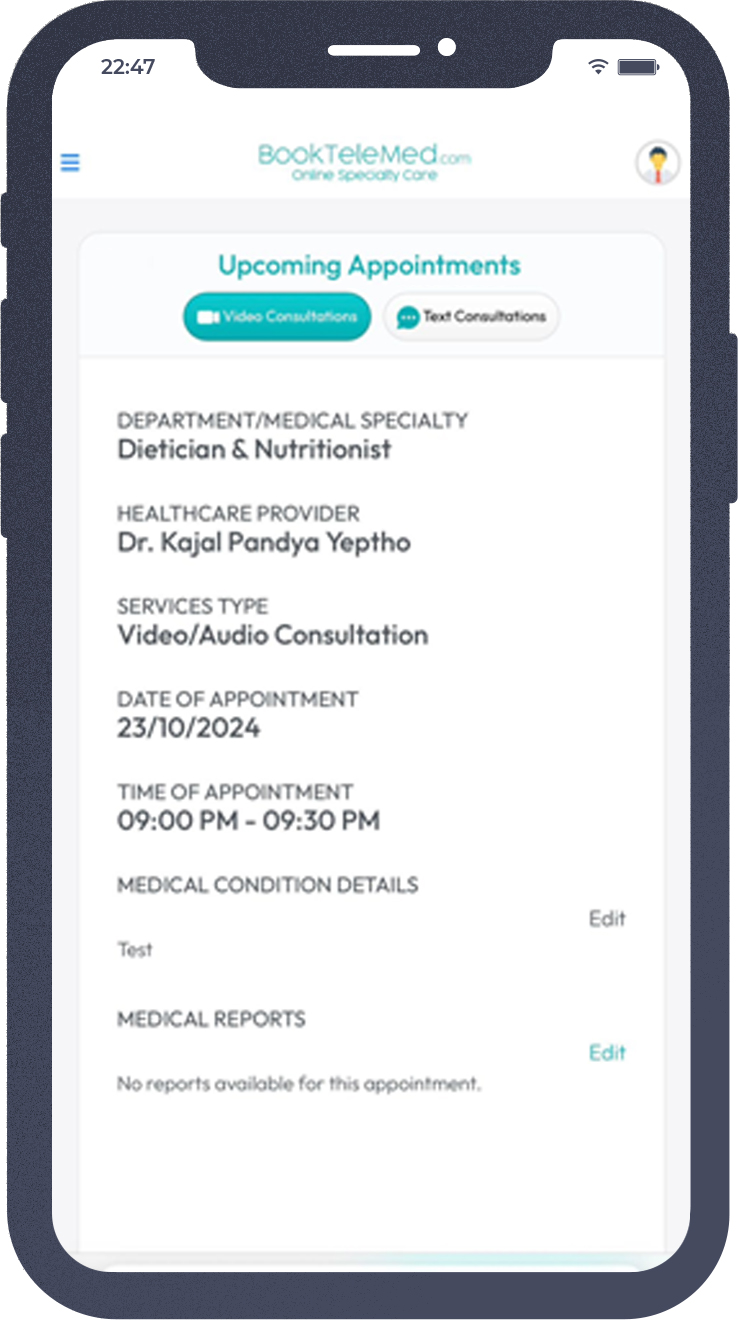
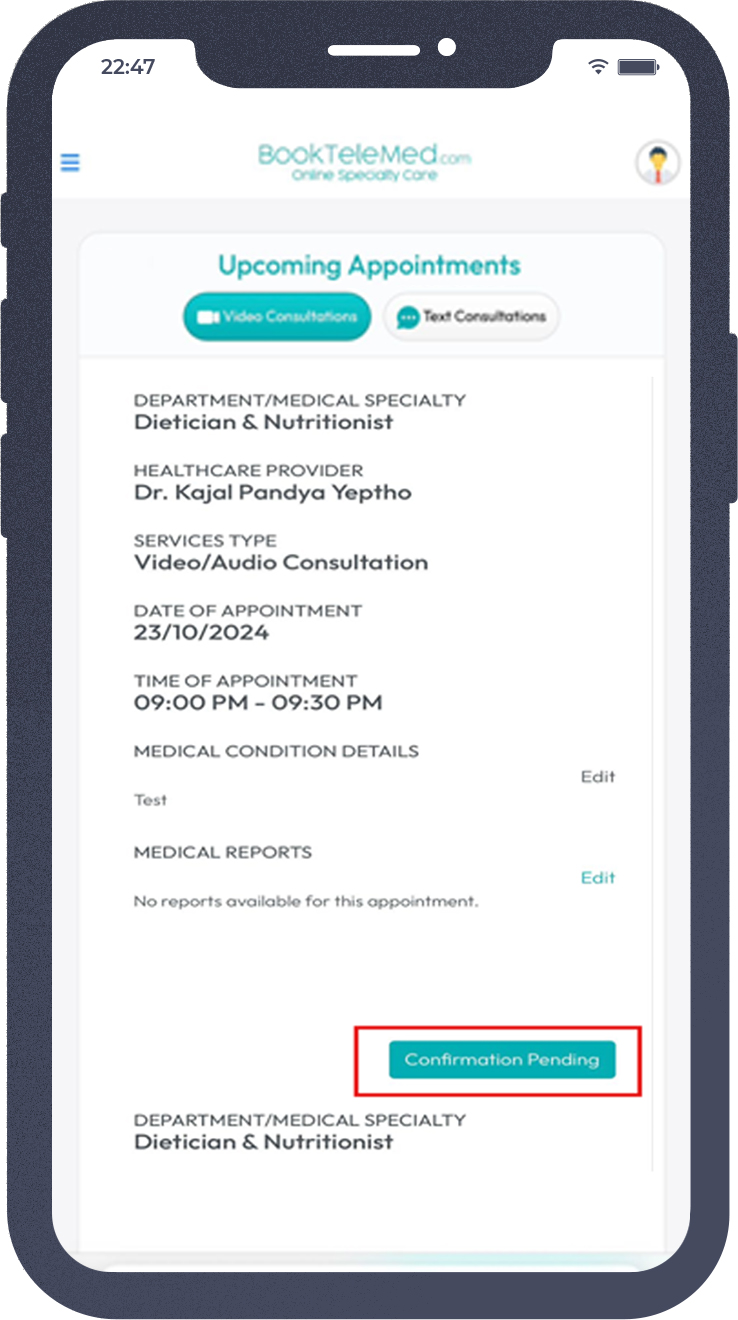
Once your appointment is scheduled, Please await confirmation from your doctor’s end.
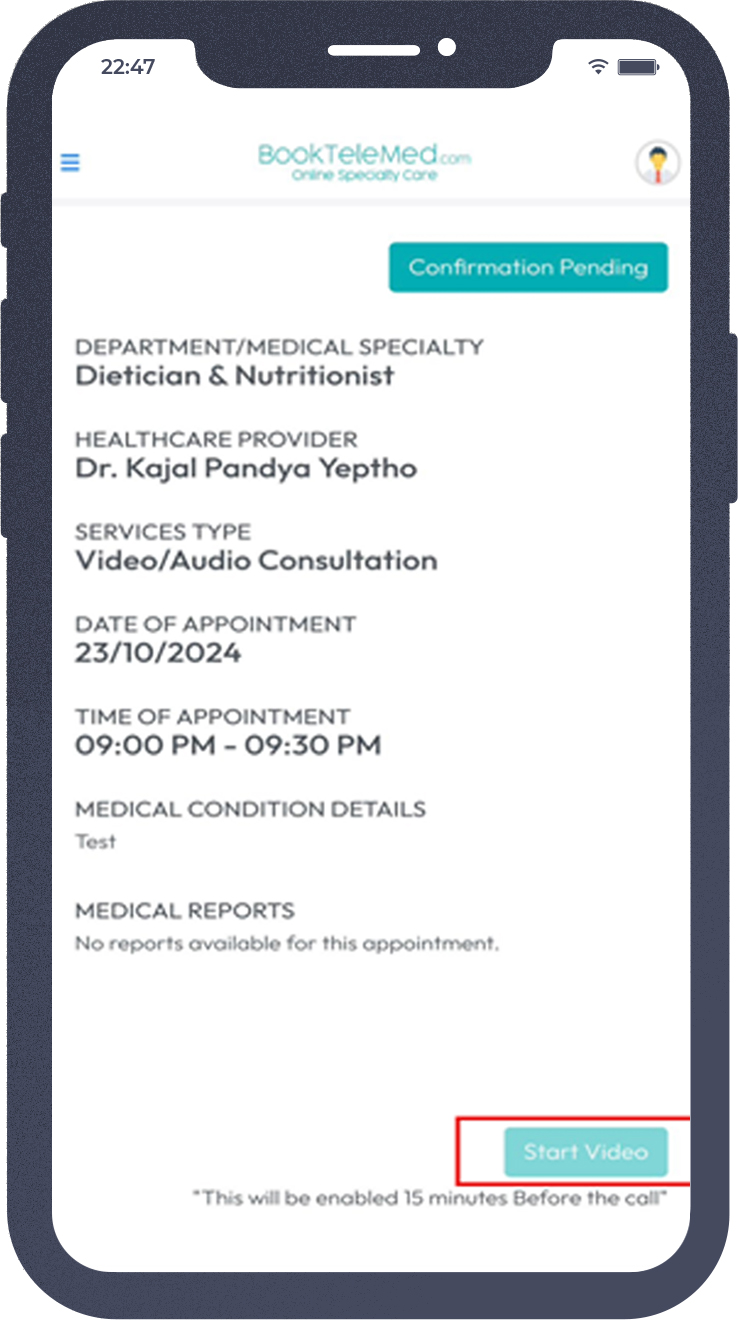
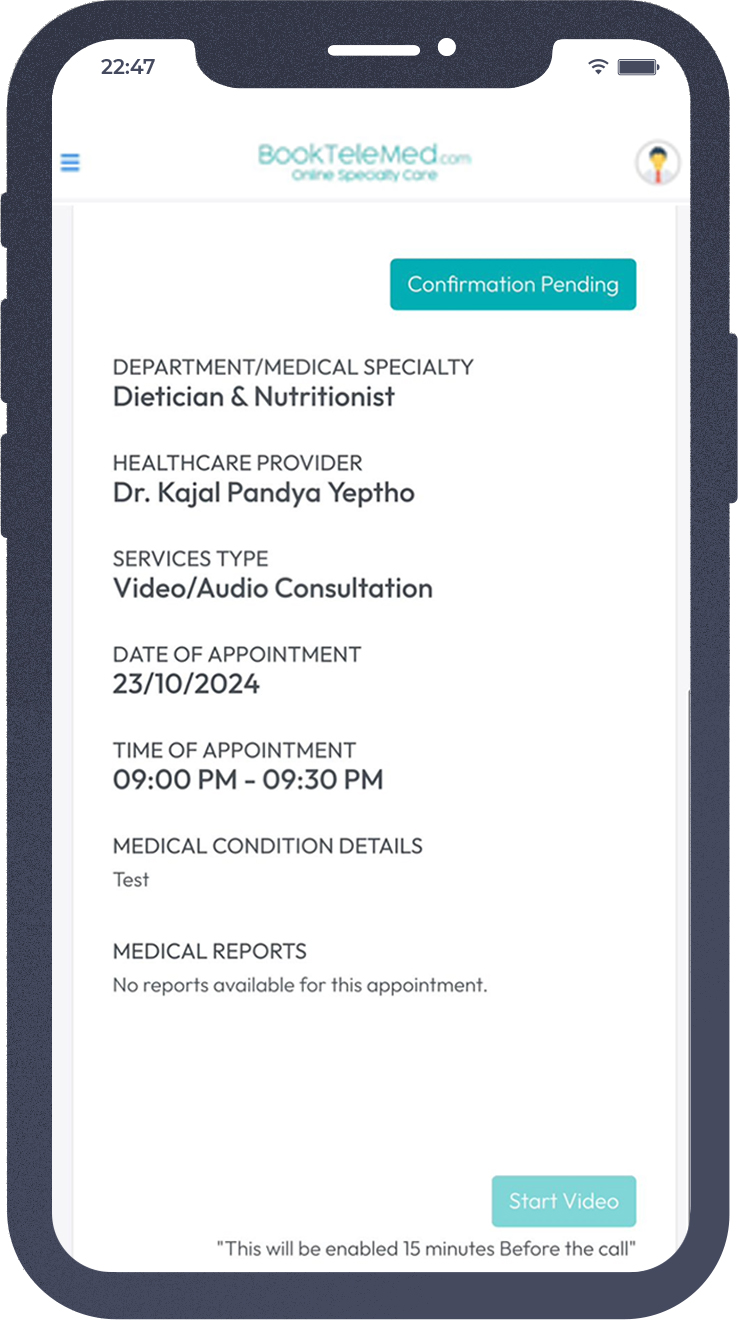
After the appointment has been confirmed by the doctor,click on "Start Video" to join the consultation (This will be enabled 15 minutes before the call).
Step 1: Visit the portal: https://login.booktelemed.com/
Enter Your Registered Email. Click on 'Get Verification Code'.
Step 2: You will receive a Verification Code. Check your email for the One-Time Password (OTP). Enter the OTP in the verification field. Click the Submit button.
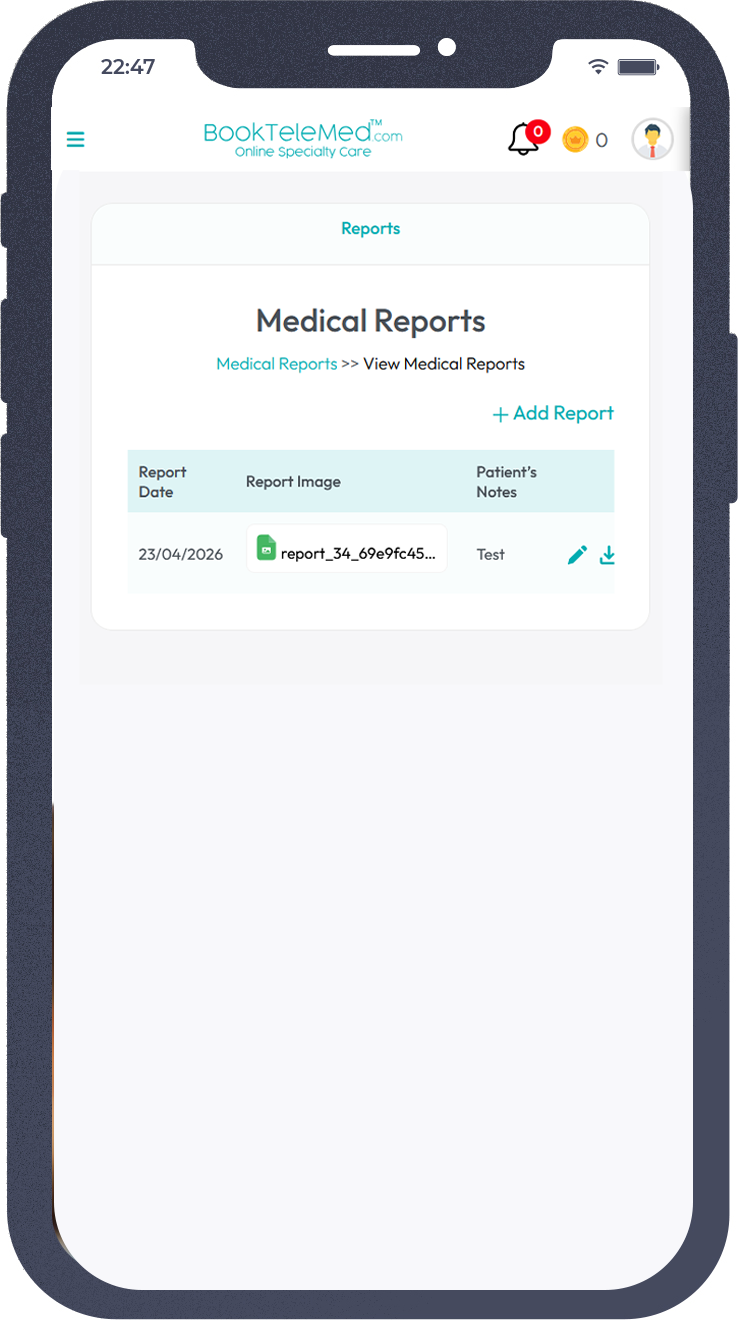
Step 3: After logging in, click on the Reports section from the menu.
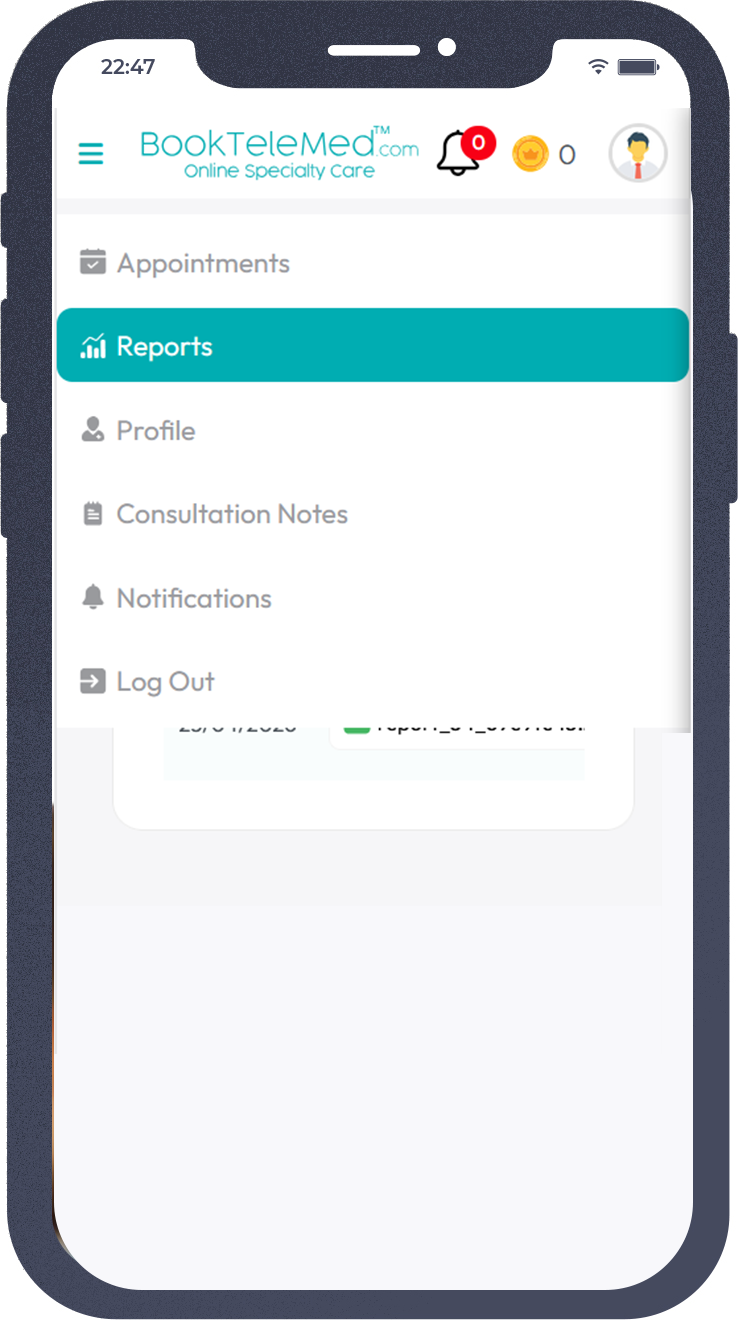
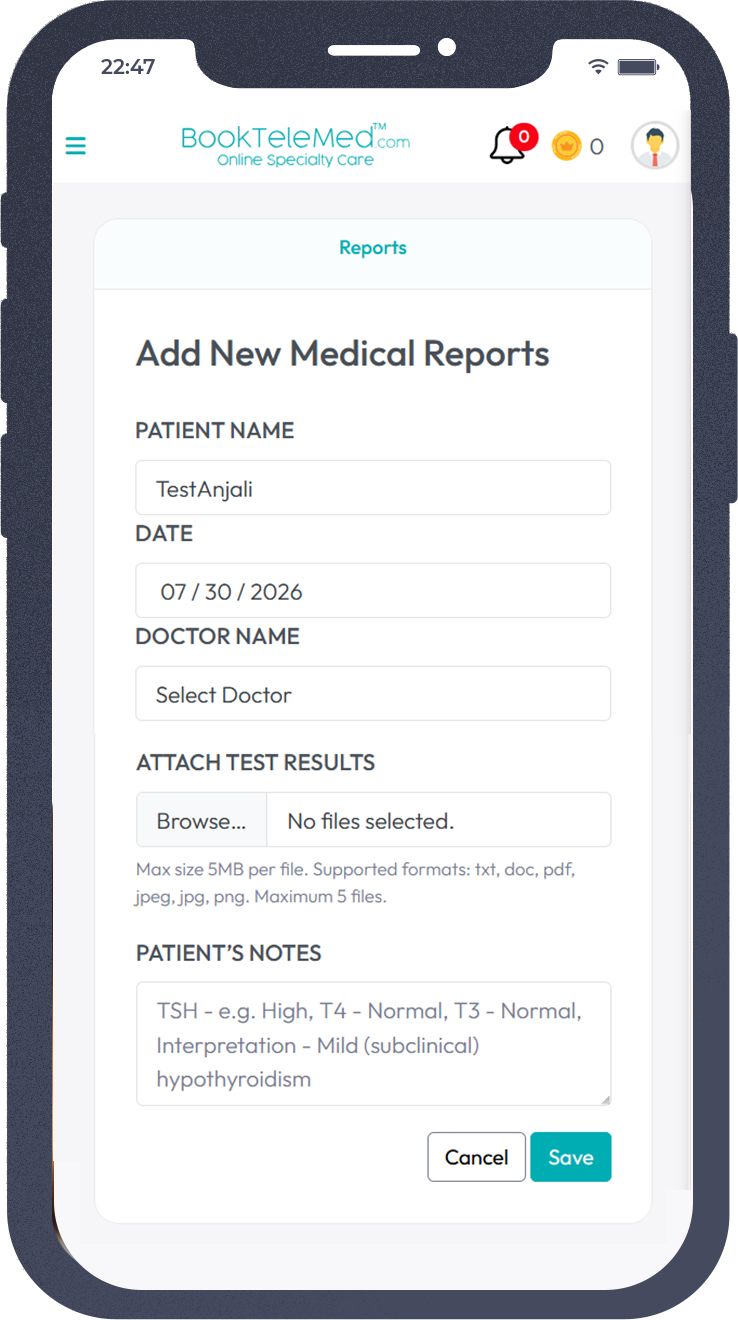
Step 4: Click on '+Add Report' to upload and send a new medical report to your doctor.
Step 5: Select your doctor. Upload your report(s). Enter any notes you would like to share with the doctor. Click 'Save'. A confirmation pop-up will appear on your screen informing you that your report has been uploaded and sent to your doctor successfully.